
Amazon Marketplace can be daunting when making your brand stand out. It's not just an eCommerce platform; it's an ecosystem where online businesses flourish based on their brand-building strategies. Among the abundance of tools and features the marketplace offers its sellers for Amazon product photography and listing, one gem shines particularly bright: Amazon A+ Content.
In this comprehensive guide, we'll explore what Amazon A+ Content is, how it can transform your product listings, and the step-by-step process to create conversion-worthy enhanced content for your brand.
What is Amazon A+ Content and Why Does It Matter?
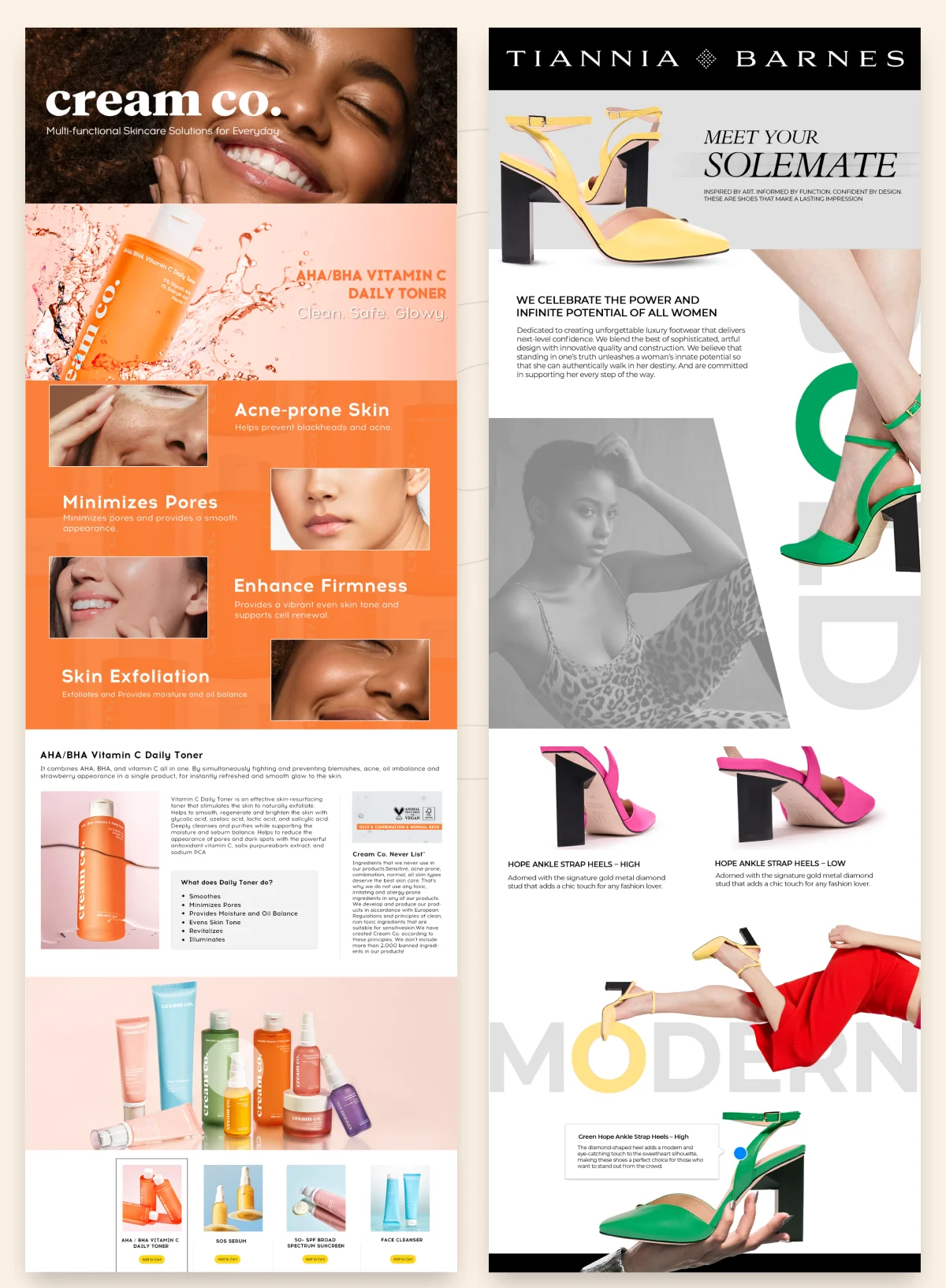
Amazon A+ Content (formerly known as Enhanced Brand Content) is a premium feature available to sellers enrolled in the Amazon Brand Registry program. It allows you to enhance your product detail pages with rich visuals and informative content that showcase your brand more engagingly and comprehensively.
While standard Amazon listings limit you to 2000 characters for product descriptions with basic images, Amazon A+ Content lets you:
- Tell your unique brand story with engaging visuals
- Highlight key product features through refined designs
- Add comparison charts to showcase product variations
- Include lifestyle imagery that resonates with customers’ needs
- Incorporate multimedia elements that standard listings can't support
The best part?
Basic A+ Content is completely free for Brand Registry sellers!

Amazon A+ Content Guidelines: What You Need to Know

Before we start with the creation process, understanding the Amazon A+ Content guidelines is crucial:
- Basic A+ Content includes 17 standard modules to choose from
- You can use up to 5 modules per product page
- Maximum content width is 970 pixels
- Content must follow Amazon's policies (no competitor mentions, external links, etc)
- All images must meet Amazon's resolution requirements
- Content must be mobile-optimized (crucial as over 60% of shoppers browse on mobile)

The Difference Between Basic and Premium A+ Content
Basic A+ Content
According to Amazon's data, available to all Brand Registry sellers at no cost, basic A+ Content on Amazon can increase sales by up to 8%.
Premium A+ Content (A++)
This upgraded version offers:
- 17 additional interactive modules
- Up to 7 modules per page
- Wider content area (1464 pixels)
- Interactive elements like video, hotspots, and carousels
- Potential sales increase of up to 20%
Premium A+ Content requires an application and comes with a price tag, making it better suited for established brands with larger budgets.
Key Benefits of Implementing Amazon A+ Content

1. Enhanced Brand Storytelling
With A+ Content, you can create a consistent brand experience across all your Amazon listings, helping customers connect with your brand values and unique selling points.
2. Increased Conversion Rates
Amazon reports that well-designed A+ Content can boost conversion rates by up to 8% (on an average). The additional product information helps customers make more informed purchasing decisions.
3. Reduced Return Rates
By providing comprehensive product information through your Amazon A+ Content, you can set accurate expectations and reduce misunderstandings that lead to returns.
4. Improved Search Visibility
While A+ Content isn't directly indexed for search, the increased conversion rates and customer engagement positively impact your overall Amazon SEO performance.
5. Competitive Differentiation
In crowded categories, A+ Content helps your listings stand out from competitors who may only use standard product descriptions.
How to Create Amazon A+ Content: Step-by-Step Guide
Upon completing the registration process, you're ready to initiate the creation of your A+ content.
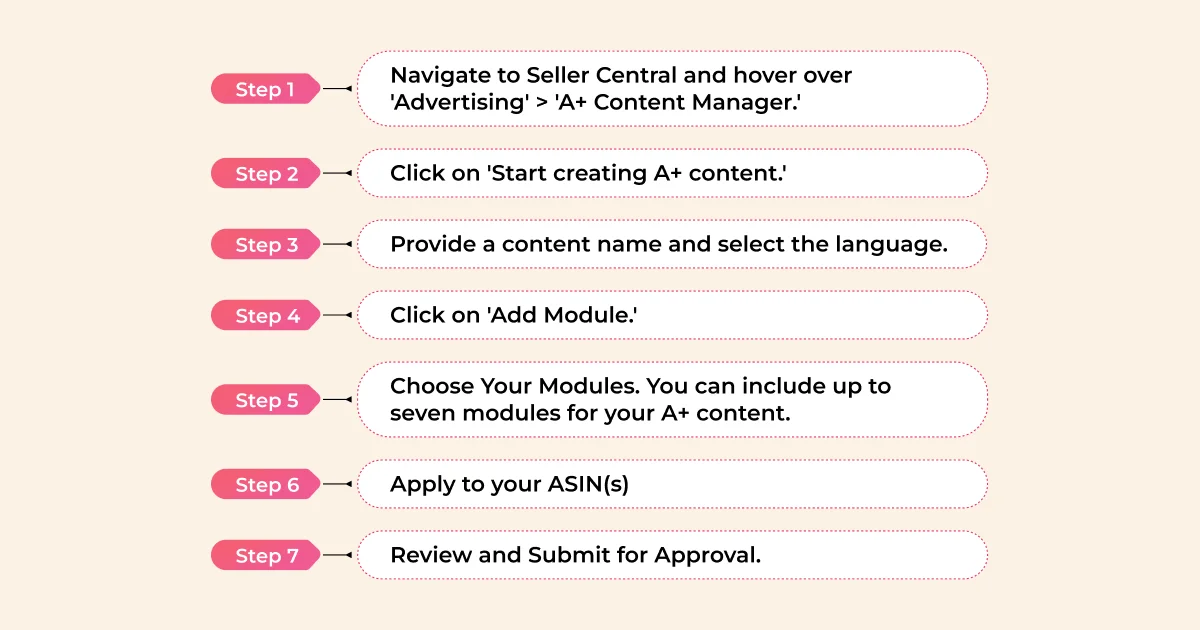
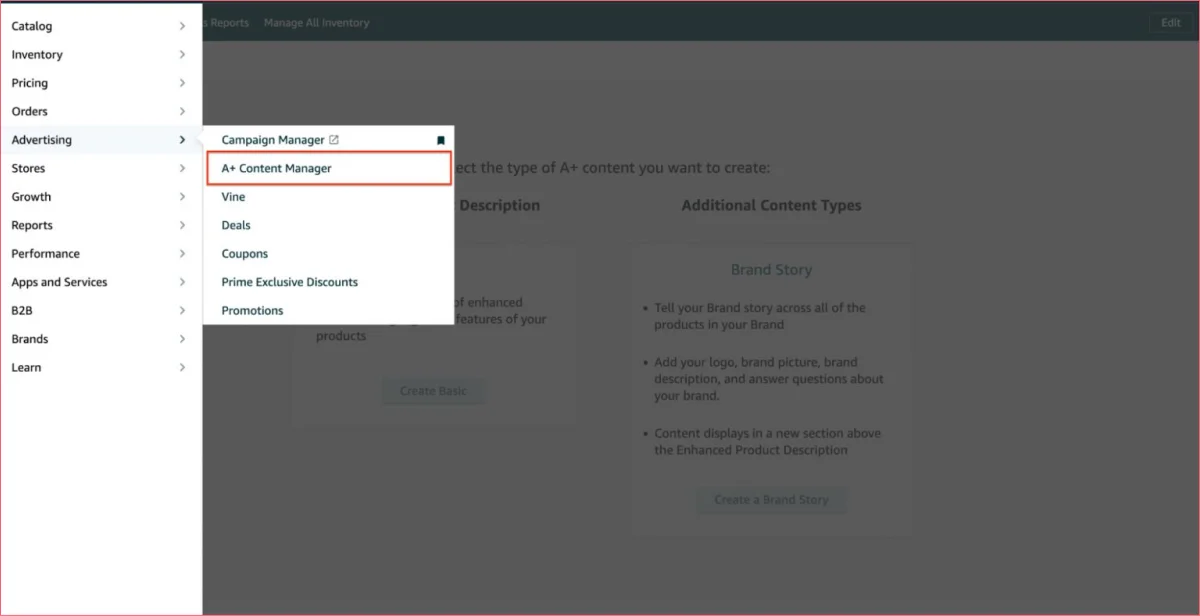
Step 1:
Navigate to Seller Central and hover over 'Advertising' > 'A+ Content Manager.'
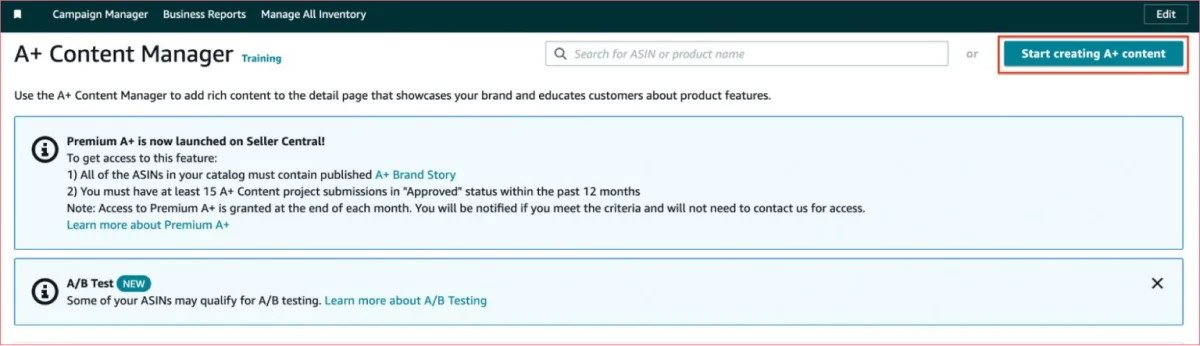
Step 2:
Click on 'Start creating A+ content.'
On the subsequent page, you'll have the option to choose between a basic 'Enhanced Product Description' or a 'Brand Story.'
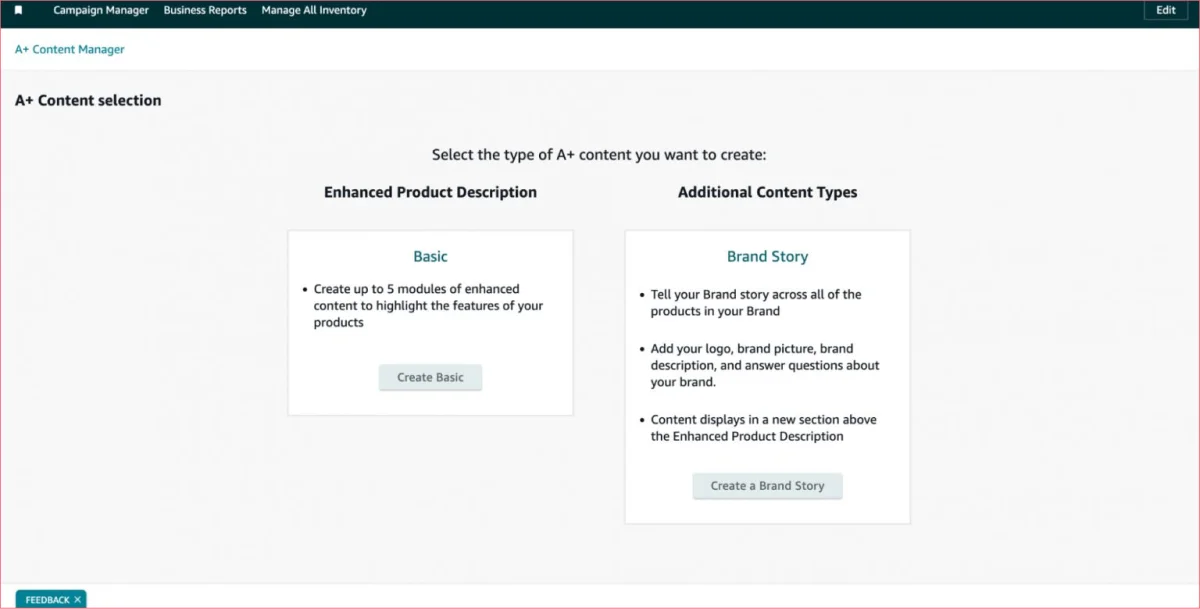
For Basic enhanced content, you can incorporate up to 5 modules (though Amazon allows up to 7). With a Brand Story, you can narrate your brand's journey across all your brand-registered products on Amazon. This section will appear above your basic A+ Content.
Step 3:
Provide a content name and select the language. For this example, let's create a Basic A+ Content description.
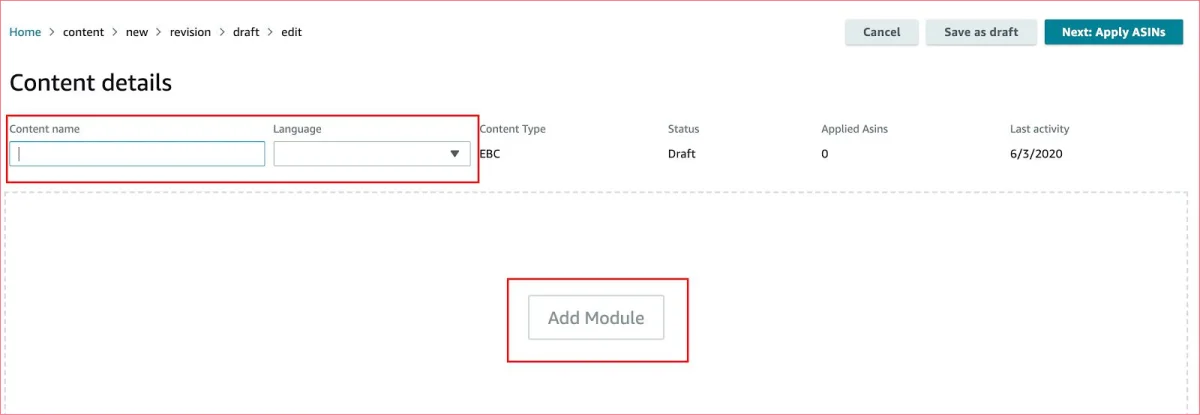
Step 4:
Click on 'Add Module.'
Step 5:
Choose Your Modules. You can include up to seven modules for your A+ content
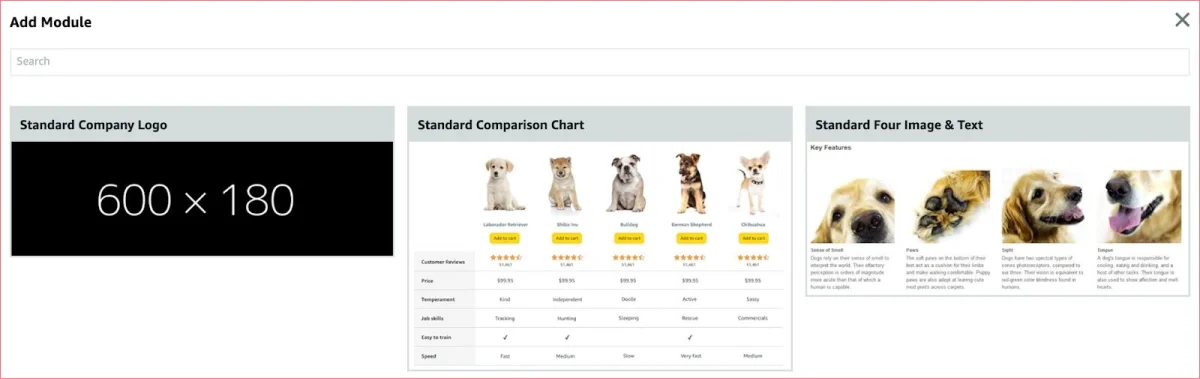
Step 6:
Apply to your ASIN(s)
Step 7:
Review and Submit for Approval
Please note: Content approval may take up to seven days.
Avoid:
- Special characters
- Restricted language
- Spelling errors
- Mentions of competitors
- Excessive word repetition
- Unclear image resolution
- External links
- Non-compliant image sizes
If any issues arise, corrections are necessary before resubmitting for approval.
Best Practices for Effective Amazon A+ Content
Focus on Benefits, Not Just Features
Don't just list specifications—explain how your product solves customer problems or improves their lives.
Use High-Quality Images
Invest in professional photography that showcases your product from multiple angles and in lifestyle contexts.
Create Scannable Content
Break text into digestible chunks with clear headings and bullet points for easy scanning.
Maintain Brand Consistency
Make sure your A+ Content reflects your brand's visual identity, voice, and messaging across all listings.
Leverage Comparison Charts
If you have multiple product variations, use comparison modules to help customers find the right option.
Test and Optimize
Monitor performance metrics after implementing A+ Content and refine your approach based on results.
Stay Mobile-Friendly
Remember that most Amazon shoppers browse on mobile devices, so test how your content displays on smaller screens.
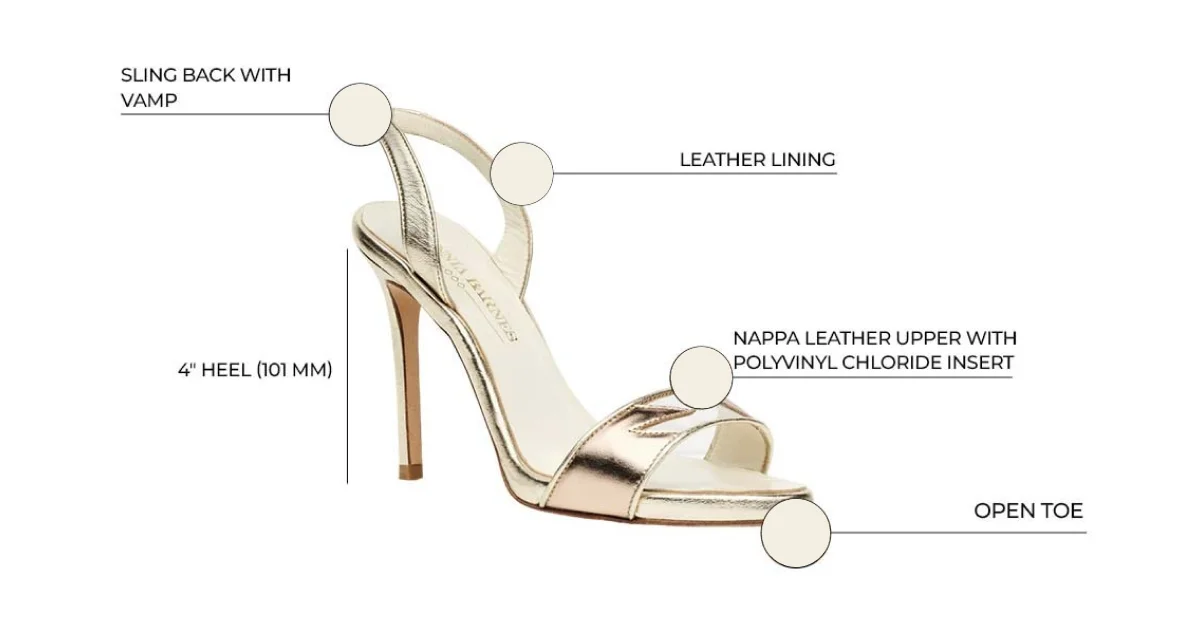
Examples of Amazon A+ Page Template:
Premium A+ Content allows you to add:
Video

Image carousels

Interactive hotspots
Common Pitfalls to Avoid with Amazon A+ Content
When creating your A plus content, avoid these common mistakes:
- Keyword stuffing (Amazon doesn't index A+ Content for search)
- Mentioning competitor brands or products
- Including time-sensitive information that quickly becomes outdated
- Using low-resolution images that appear pixelated
- Adding external website links or contact information
- Creating overly complex designs that don't translate well to mobile
Is Amazon A+ Content Worth the Investment?
For most Brand Registered sellers, the answer is a resounding yes. Consider:
- The 8% average increase in conversion rate often delivers fast ROI
- Enhanced content creates a more professional brand impression
- The one-time creation cost continues delivering benefits long-term
- Your competitors are likely already using A+ Content
Pricing of A+ Content
While A+ content evidently has a lot of benefits that any serious Amazon seller cannot ignore, the reality is that getting this content created is expensive. Often growing brands looking to establish their presence on the marketplace cannot support the typical budgets required to create this enhanced brand content. In the bargain they lose out on stand out on Amazon.
Professionally designed A+ Content can cost anywhere between $500 to $2000 per listing, depending on the overall design complexity. This cost includes content ideation, keyword research, copywriting, and image design and editing. Here are a few full suite agencies and their charges associated with A+:
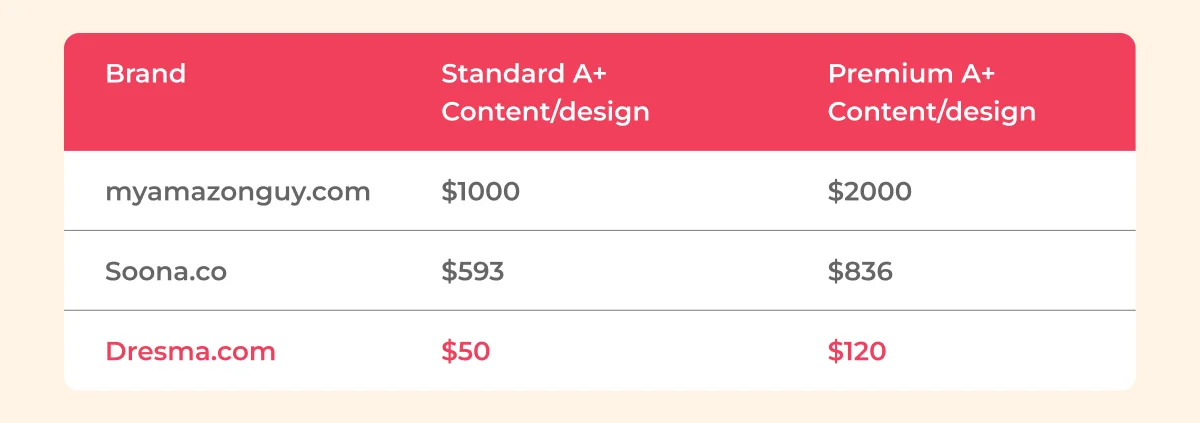
With Dresma, you get the advantage of a full suite agency without the costs associated with them. Our enhanced brand content solutions start at $50 and are becoming the game changer for top Amazon brands and their success on the marketplace. We power Amazon merchants with the AI solutions their businesses need in order to succeed online.
Get the Dresma edge for your A+ Listings
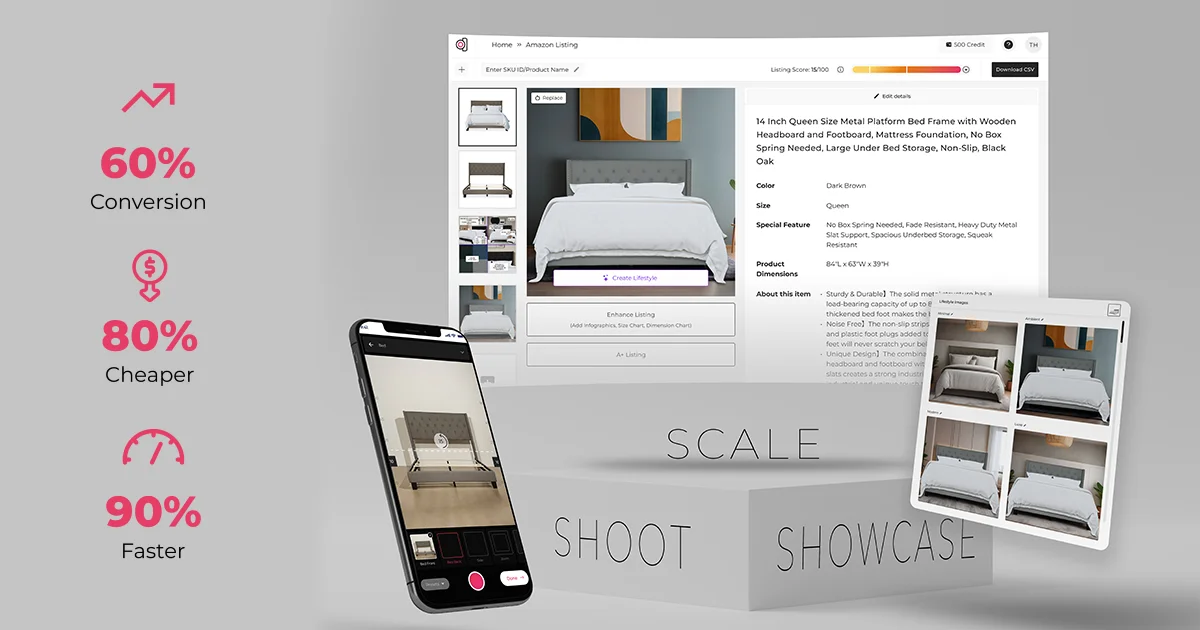
As you begin on your A+ Content journey, Dresma stands tall with you. We blend creativity with emerging trends to produce conversion worthy content that drives sales . Now Amazon listings & A+ Content for digital consumption by potential customers is just a few clicks away when you leverage our AI solutions.
Benefit from the all in one ecommerce content creation solution that sets you up for limitless possibilities including:
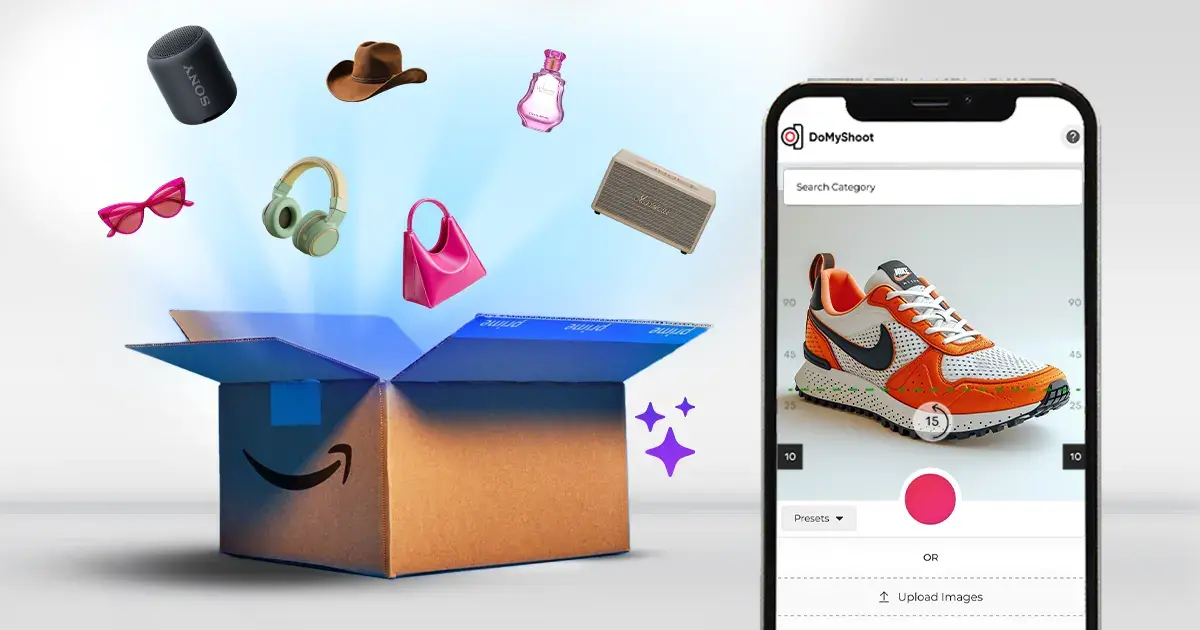
- The DoMyShoot mobile app for Amazon product photography: Get a free photography app that guides you through a shoot specific to your product category and platform requirements ensuring every image out is compatible with your needs. And all for free!
- Leverage our Virtual AI studio to create contextual lifestyle backgrounds specific to your product and brand
- Use free image editing tools like background removal, white background, background color change and image resizer to enhance your product photos for all your business needs
- And best of all, let us do all the heavy lifting for you by creating enhanced brand content for all your Amazon needs in under 48 hours.
Speak to an expert on how to get your brand the Dresma edge for all your Amazon content .
Conclusion: Elevate Your Amazon Presence with A+ Content
In today's competitive e-commerce landscape, standard Amazon listings simply aren't enough to capture customer attention and drive conversions. Amazon A+ Content provides a powerful opportunity to showcase your brand story, highlight product benefits, and create a more immersive shopping experience.
By following the Amazon A+ Content guidelines outlined in this guide and investing in quality content creation, you can transform your Amazon listings from basic product pages into compelling brand experiences that convert browsers into buyers.
Have you implemented A+ Content on your Amazon listings? What results have you seen? We'd love to hear about your experiences in the comments below!